World Festivals Coloring Pages: A Practical Resource for Creators, Educators, and Publishers
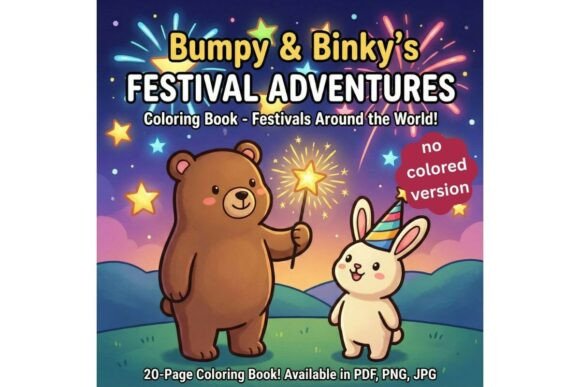
If you work with coloring book production, educational content, or digital product creation, you know that sourcing high-quality, themed artwork is often the most time-consuming part of the process. World Festivals Coloring Pages offers a structured solution: a set of 20 unique, high-resolution 300 DPI coloring pages in a modern square 1:1 composition. Each page features festival themes from around the globe, making the collection versatile for multiple use cases. This article walks through what this resource includes, how it fits into real workflows, and how different users can integrate it into their projects efficiently.
What the World Festivals Coloring Pages Collection Includes
The collection is delivered as a digital package with three file formats, each serving a specific purpose. Because the files are high-resolution and large, access is provided through a PDF instruction guide that contains a direct link to a secure storage location such as Google Drive. This approach keeps delivery reliable and avoids attachment size issues.
The package contains:
- 1 PDF file (multipage) – All 20 pages combined into a single document. This format is ideal for printing the entire book at once or for uploading directly to platforms like Amazon KDP for paperback creation.
- 20 PNG files – Each page as a separate file with a transparent background. These work well in digital coloring apps, graphic design software, or any project where you need to layer the artwork over other elements.
- 20 JPG files – Flattened high-quality images ready for immediate printing. Use these when you need simple, no-fuss output for physical products or test prints.
The square 8.5 x 8.5 inch format matches the standard size for KDP square paperback books, which means no resizing or reformatting is required if you are publishing on Amazon. The 300 DPI resolution ensures crisp lines and clear details whether you print at home, use a commercial printer, or display on screen.
KDP Publishers and Print-on-Demand Sellers
For anyone creating coloring books for Amazon KDP, the square format and combined PDF save significant setup time. You can upload the multipage PDF directly as your book interior without needing to merge individual files or adjust page dimensions. This eliminates several steps in the pre-production phase.
If you produce multiple titles, having a themed collection like world festivals allows you to quickly build a series. You might use the pages exactly as provided for a standard coloring book, or you could combine them with your own cover design and supplementary content. Because the files are separate as PNG and JPG, you can also rearrange pages, remove any you do not want, or insert additional material between festival themes.
For print-on-demand beyond books—such as tote bags, t-shirts, or mugs—the PNG files with transparent backgrounds are essential. You can isolate a single festival image, resize it for the product surface, and layer it onto mockups or templates. Having the transparent files eliminates background removal work and speeds up your design turnaround.
Educators and Homeschoolers
World Festivals Coloring Pages double as educational worksheets. Each page represents a different cultural celebration, which gives you a built-in discussion topic for geography, social studies, or art classes. You can print individual pages for students to color while you explain the festival's origin, traditions, or significance.
Because the files are high-resolution, they reproduce clearly on standard printers, and the square format works well for cutting and mounting on bulletin boards or adding to student portfolios. If you teach multiple grade levels, you can use the same pages for different purposes: younger students focus on motor skills and color recognition, while older students research the festival and write a short summary on the back.
The PNG files are particularly useful if you create digital worksheets for tablets or learning management systems. Import the transparent image into a note-taking app or PDF editor, and students can color digitally without needing physical supplies. This flexibility makes the collection suitable for both classroom and remote learning environments.
Digital Product Creators and Graphic Designers
If you sell digital coloring books on platforms like Etsy, Gumroad, or your own website, the 20 PNG files give you ready-made content you can bundle and sell. You might offer the full set as a single download, split it into smaller themed packs, or use individual pages as free samples to build your email list.
The transparent backgrounds mean you can also incorporate festival elements into broader design projects—scrapbook kits, social media templates, invitations, or educational printables. Because the artwork is original and high-resolution, you maintain quality when scaling or combining with other assets.
For creators who use tablets and digital coloring apps like Procreate, Photoshop, or Clip Studio Paint, the PNG files import directly onto separate layers. Users can color underneath the line art or experiment with different blending modes. This expands your potential audience to include digital colorists who prefer screen-based work over print.
Activity Pack Creators and Physical Product Sellers
If you produce physical craft kits or activity packs for children or adults, World Festivals Coloring Pages can serve as the core activity component. Print the JPG or PDF pages on cardstock, include a small pack of crayons or colored pencils, and package the set for retail or subscription boxes.
The festival theme gives your product a clear narrative angle that can be marketed around cultural exploration, travel, or global awareness. You might pair the coloring pages with a small fact card for each festival, turning the pack into an educational experience. Because the pages are uniform in size and style, your kit looks cohesive and professionally produced.
Preparing Files for Different Outputs
Before you start using the pages, take a few minutes to organize your files by output type. Create separate folders for print-ready JPGs, digital PNGs, and the combined PDF. This prevents confusion when you are switching between projects.
For KDP uploads, use the multipage PDF directly. Amazon's guidelines require PDF files with embedded fonts and high resolution, and this file already meets those standards. If you are adding a cover or front matter, combine your additional pages with the multipage PDF using a tool like Adobe Acrobat or a free PDF merger. Keep the original file unchanged as a master copy.
For digital products, consider compressing the PNG files slightly before listing them for sale. Full-resolution PNGs can be large, and many customers prefer smaller file sizes for faster downloads. You can create a "print version" and a "digital version" with different resolutions to suit both audiences.
Quality Control and Consistency
Because all 20 pages share the same 1:1 square format and 300 DPI resolution, your final product will have consistent layout and print quality. This is especially important for KDP books where page uniformity affects the reader experience. Before uploading, run a test print of a few pages from the JPG files to verify that the line art prints cleanly on your paper type. Adjust printer settings for high-quality output if needed.
If you plan to resell or repurpose the pages, check the license terms provided with your purchase. Some collections allow commercial use, while others restrict certain activities. Knowing the terms upfront saves you from legal issues later.
Long-Term Use and Scalability
World Festivals Coloring Pages can be used as a standalone product or as part of a larger library. If you are building a brand around educational or cultural content, these pages can become one of several themed collections you offer. Over time, you might combine festival pages with pages about landmarks, animals, or historical events to create a comprehensive series.
Store your master files in cloud storage with a clear naming convention. For example, label files as "Festival_01_Title.png" rather than generic names. This makes it easier to locate specific pages when you are creating new products or responding to custom requests.
Compatibility with Common Tools
The PNG and JPG files open in virtually any image editor, from Photoshop and GIMP to Canva and Affinity Designer. The multipage PDF works with all standard PDF readers and print drivers. If you use a tablet for digital coloring, check that your app supports PNG import with transparency—most major apps do.
For print-on-demand services like Printful, Printify, or Amazon Merch, the square format may need slight adjustments depending on the product template. Always test a sample before producing in bulk.
Observations on Workflow Efficiency
One of the main advantages of this collection is that it reduces the number of steps between concept and finished product. Instead of sourcing individual illustrations, checking resolution, converting formats, and resizing pages, you receive a coordinated set that is already production-ready. This matters most when you are working under deadlines or producing multiple products simultaneously.
The inclusion of transparent PNG files is not just a convenience—it expands the range of products you can create from a single purchase. A coloring book, a set of digital downloads, a classroom worksheet pack, and a line of POD merchandise can all draw from the same artwork without requiring separate design work.
For educators and homeschoolers, the festival theme adds cultural context that turns a simple coloring activity into a learning moment. This dual-purpose use increases the value of the resource beyond its visual content. You are not just providing something to color; you are providing a reason to talk about the world.
Final Considerations for Integration
Integrating World Festivals Coloring Pages into your routine depends on your primary output. If you are a KDP publisher, your focus will be on the multipage PDF and cover design. If you are a digital creator, the PNG files will be your main asset. If you are an educator, the JPG files for quick printing may be your go-to. The collection supports all three paths, so you only need to decide which format matches your immediate task.
Take advantage of the square composition for social media previews or product listings. A square image displays well on most platforms without cropping issues, which simplifies your marketing collateral creation. You can use a colored version of one page as a listing image or a sample that potential buyers can download to test quality.
Finally, keep the PDF instruction guide accessible. It contains the link to your files, and you may need it again if you lose or reorganize your downloads. Saving it to a dedicated folder for purchased resources ensures you can retrieve your files months or years later.
World Festivals Coloring Pages is a practical, multi-format resource designed for users who need reliable artwork that works across print, digital, and product channels. By understanding how each file type fits into your specific workflow, you can move from download to finished product with minimal friction and maximum flexibility.